

AI-Powered

Learning Management System

See it in action
Learning Management System (LMS)

Learning Management System

Enterprise-level learning management system (LMS)

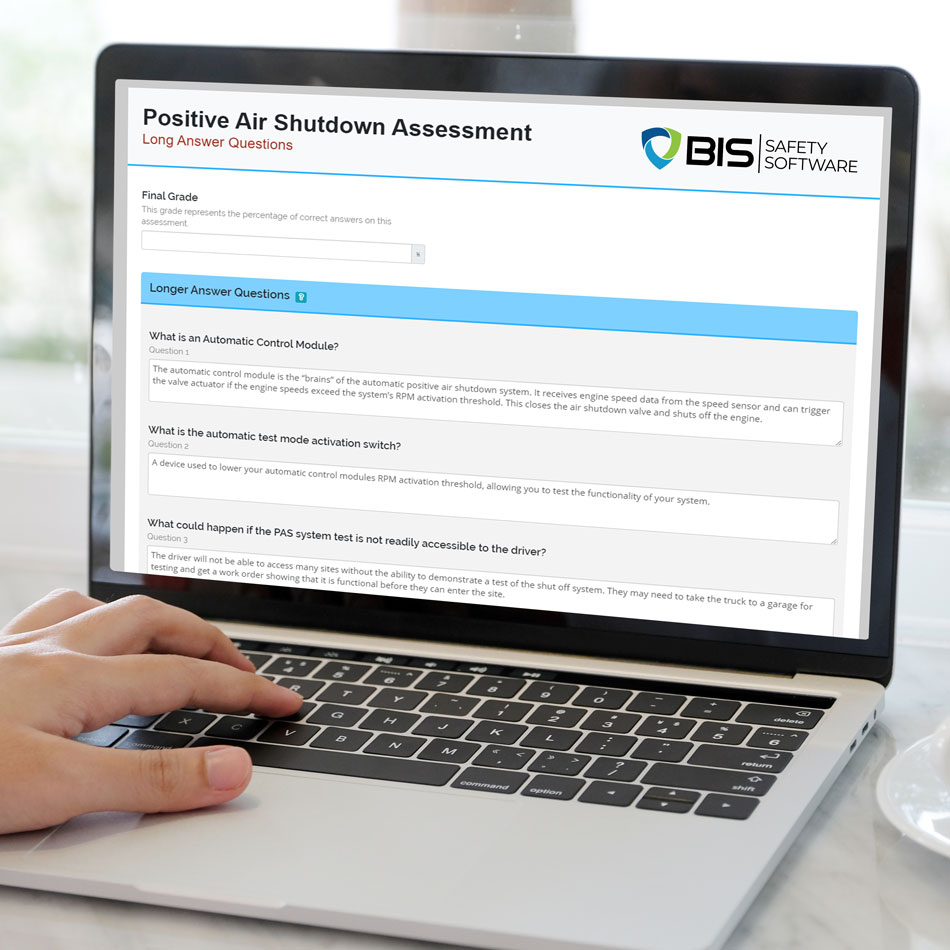
BIS Safety Software’s suite of Learning & Compliance software includes an enterprise-level Learning Management System (LMS) which boasts a comprehensive exam engine, full SCORM compatibility, an integrated eCommerce store, and a course permission management system.

AI Course Builder

Turn months of course building into hours

  • Upload a PDF or describe what you need, and get a complete, structured course back up to 77% faster
  • Draft slide text with customizable AI voice narration built in
  • Find and insert relevant stock imagery through a built-in search tool
  • Produce graded or unscored multiple-choice exams from your approved material

What once took weeks now takes hours, and your team stays in full control. Administrators can review, edit, and refine every detail before publishing, helping you deliver accurate, compliant training every time.
Learning Management System (LMS)

Training Matrix

Automatically Assign Safety Training

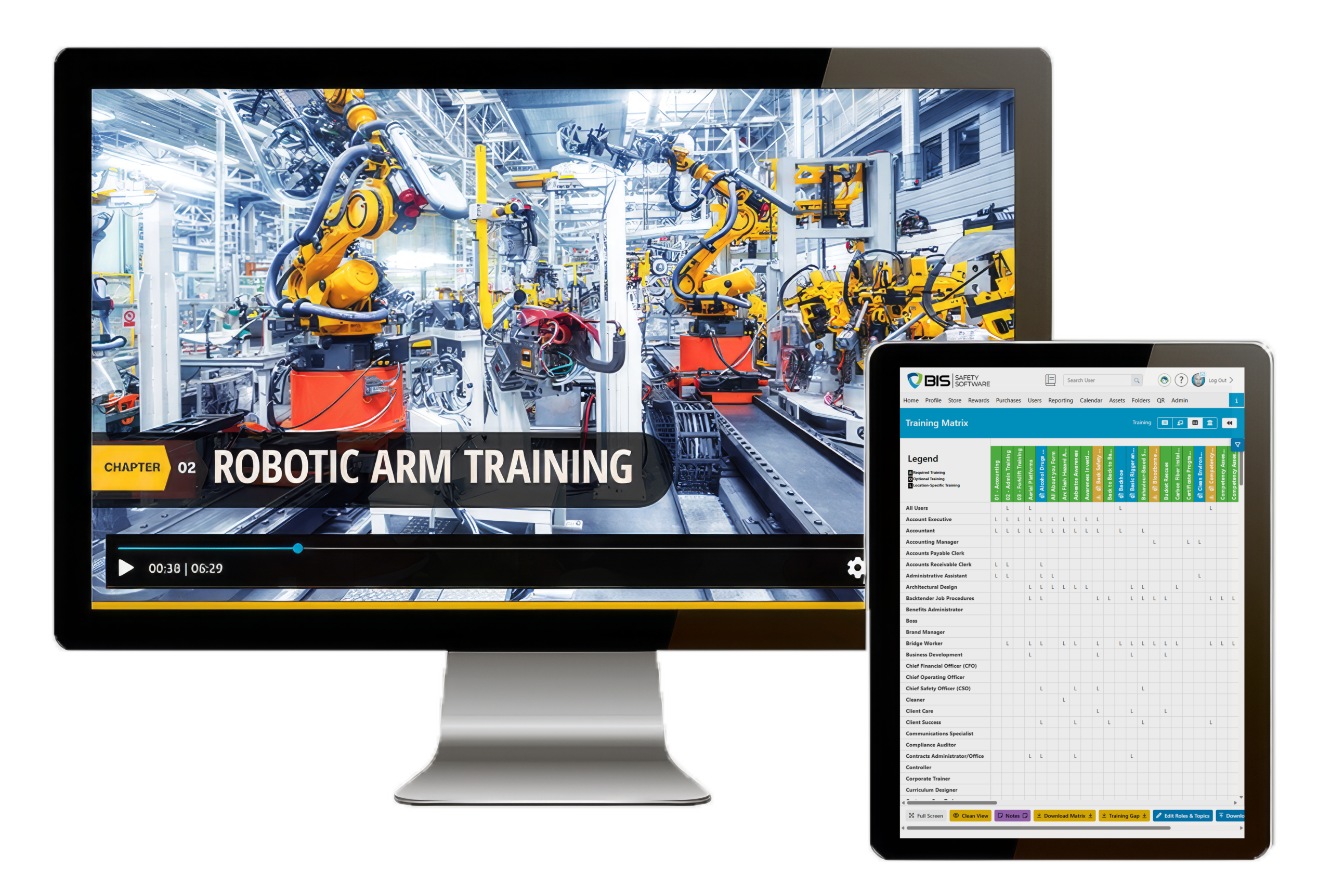
Easily assign online and classroom-based training to new and current employees with the BIS Safety Software training matrix.

The training matrix is integrated into the BIS Safety Software enterprise learning management system – all you need to do is set up your company roles, training topics, training requirements, and certification programs. With that information, the system can automatically assign all required and optional training courses to your team based on their roles, locations, certification expiration dates, divisions, and more. The training matrix can also provide you with gap reporting, compliance tracking, and progress toward certifications.

Create Online Onboarding & Orientations

With BIS Safety Software you can create dynamic online onboarding orientations for all of your employees and site visitors.

Digitize required new-hire paperwork for employees and contractors

Automatically transfer completed forms to the right departments

Provide access to the latest company policies and procedures

Upload your existing PowerPoint slideshows

Keep company messaging and news up to date

Capture historical training records within the orientation

Add competency testing to the onboarding

Add questions and activities mid orientation

New!

Learning Management System (LMS) Security Guide

Protect What Your Training Records Must Prove

This guide walks you through:
Compliance gaps caused by off-system policies

Version control that protects record credibility

Integration data sharing that increases risk

Retention schedules by record type

Access review that limits permission drift

Learning Management System (LMS)

Features

BIS Safety Software is designed to support a strong safety culture within your business. BIS Safety Software’s features have been created with a focus on workplace safety – this has made BIS Safety Software a great fit for companies with a health and safety program.

Learning Management System (LMS)

Virtual Proctoring

Verify Identity and Protect Exam Integrity with BIS Safety Software Virtual Proctoring

BIS Safety Software’s virtual proctoring uses facial detection and recognition to confirm that the right person is taking the course, and that they stay engaged from start to finish. Learners present a government-issued photo ID alongside their face at the start of the session, so you know identities are verified before any training or testing begins.
As the webcam records the session, the software watches for deceptive behavior, such as someone placing an image in front of the camera or a new person appearing after the ID check, and flags it for an administrator to review. Because it runs entirely through the learner’s existing browser and webcam, there’s nothing to install. The result is consistent ID verification, lower exam supervision costs, and a defensible record that your training was completed honestly.

Thousands of Safety Training Courses Available

We’ve partnered with industry-leading course owners to bring you an online store with access to over a thousand top training courses from industry experts and training providers. Buying a course for yourself or your team is simple, and from there you can assign courses to employees based on their roles, locations, and more.

A few examples of the professional safety training courses available through the BIS Safety Software store are:
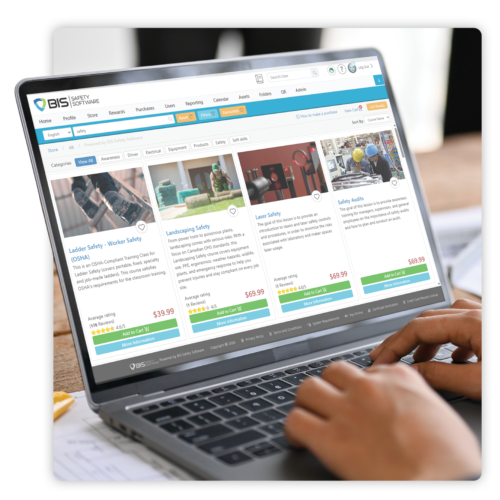

Gas Detection
Ground Disturbance
Chainsaw Safety
Bloodborne Pathogens
Transportation of Dangerous Goods
and Thousands of Safety Training Courses Available more
Course Store
Learning Management System (LMS)

Multimedia

BIS Safety Software not only supports SCORM 1.2 and 2004; it also offers a course creation tool that uploads multimedia formats such as MP4, HTML5, JPEG, PNG, PDF, and more. PowerPoints can be loaded directly into the system in just a few clicks, and then the program can randomize multiple choice questions between the desired slides. You can upload how-to videos filmed on your smartphone, add course questions, and assign courses to thousands of employees in just minutes. The flexibility of BIS Safety Software’s multimedia puts your courses above SCORM standards, which means you can get your training out faster and more effectively.

Contact Us

A Few of Our Partners and Clients
Company nameCompany name

See How an LMS Designed for Safety can Strengthen Your Company

Request a demo and see why companies are switching to BIS Safety Software software to manage their learning and compliance programs.